

Before you begin
- An active News API key
- For Python: Python 3.10+ with News API Python SDK installed
Retrieval workflow
1
Measure volume with aggregation
Before writing any retrieval logic, use
The response shows total volume and the per-day distribution:118,562 total articles, with 15,000–20,000 per day. Daily chunks would hit the
10K cap every day. You need 6-hour chunks.
/aggregation_count
to understand how many articles your query actually matches and how they’re
distributed over time. This tells you which chunk size to use and whether your
query needs narrowing.2
Choose the right chunk size
Pick a chunk size where each window returns fewer than 10,000 articles. Use the
per-period counts from Step 1:
For the “artificial intelligence” example above: most days have 15,000–20,000
articles, so
"6h" is the right choice.3
Retrieve all articles
With chunk size confirmed, iterate through your date range window by window,
paginating each window fully before moving to the next.
Python SDK: automated retrieval
Python SDK providesget_all_articles and get_all_headlines — methods that
automate the workflow. They split your date range into chunks, paginate each
chunk, deduplicate results, and return a combined list. You can still measure
volume with /aggregation_count to choose a proper time_chunk_size, but you
don’t need to write the iteration logic.
How time-chunking works
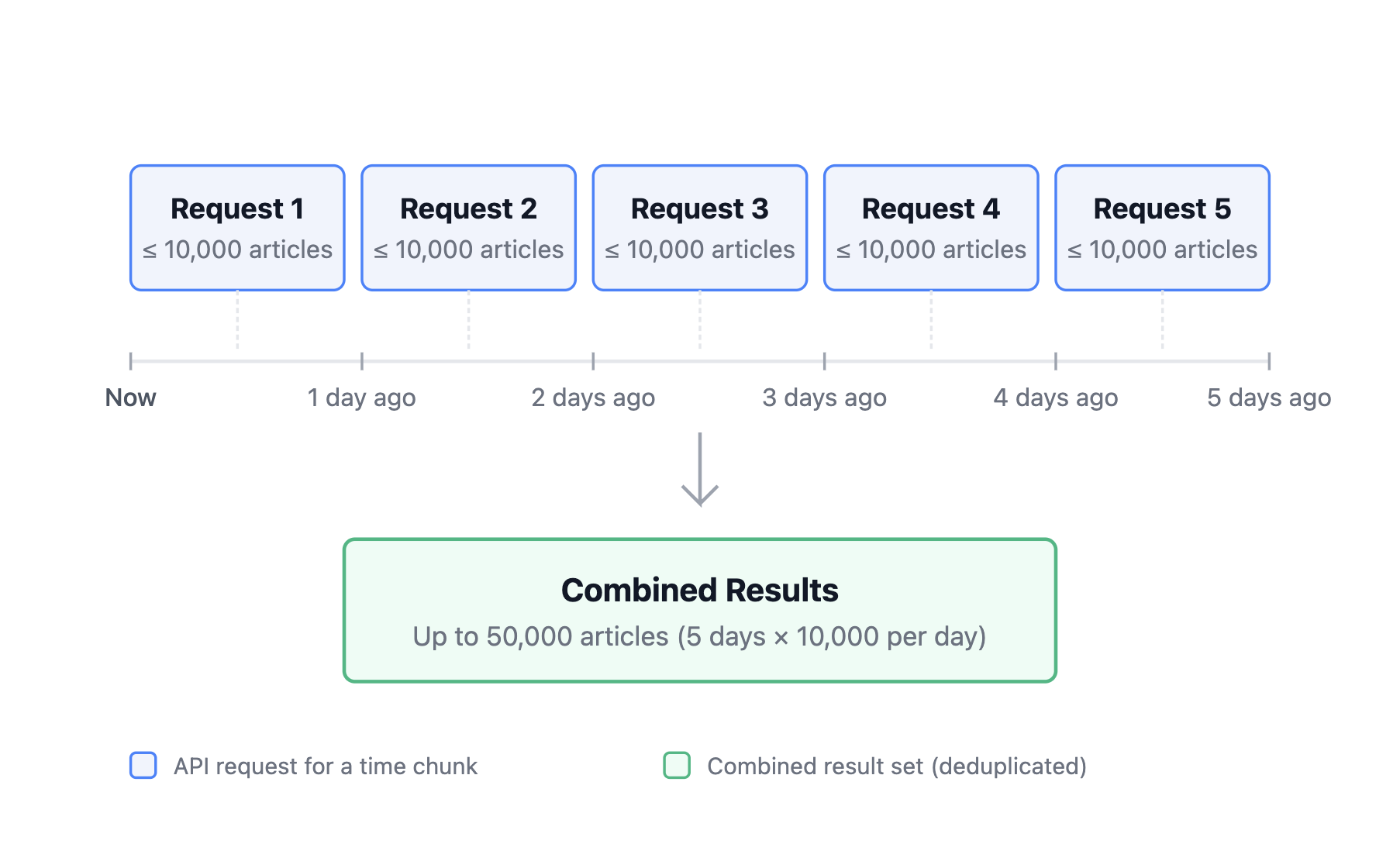
Time-chunking divides your date range into smaller intervals, makes a separate API call for each period, and combines the results. Each interval can return up to 10,000 articles. For example, withtime_chunk_size="1d" over 5 days, the method makes 5 API
calls — one per day — with automatic pagination, retrieving up to 50,000
articles total.
get_all_articles
Retrieves all articles matching a search query over a date range. Accepts all standard/search endpoint parameters via **kwargs — lang, countries,
sort_by, include_nlp_data, and so on.
get_all_headlines
Retrieves all latest headlines over a time range. Accepts all standard/latest_headlines endpoint parameters via **kwargs.
SDK method parameters
string
default:"1h"
Size of each time window. Accepted values:
"1h", "6h", "1d", "7d",
"1m".integer
default:"100000"
Maximum total articles to retrieve across all chunks.
boolean
default:"false"
Display a progress bar during retrieval.
boolean
default:"true"
Remove duplicate articles from the combined results.
boolean
default:"true"
get_all_articles only. Validates query syntax locally before making any API
calls. Set to false to skip.integer
default:"3"
AsyncNewscatcherApi only. Number of concurrent page requests within each
time chunk.Both methods accept all other endpoint parameters via
**kwargs and pass them
to the API. For example, you can filter by language, sort by relevance, or
include NLP data in results from either method — just as you would with direct
API calls to /search or /latest_headlines.Common issues
Rate limiting errors (429)
Rate limiting errors (429)
For async Python, reduce
concurrency. For manual iteration, add delays
between window requests. If limits are hit consistently, consider narrowing
your query to reduce overall volume.Timeout errors (408)
Timeout errors (408)
Your chunk size is still too large. Step down:
"1d" → "6h" → "1h".
For long historical ranges, see
Working with historical data.Memory errors
Memory errors
Reduce
max_articles (Python SDK), or write results to disk per window
rather than accumulating everything in memory.Result counts vary between runs
Result counts vary between runs
News sources publish continuously. Counts for recent ranges differ between
runs as new articles are indexed. Use a fixed
to date for reproducible
datasets.Best practices
- Measure before you iterate. One
/aggregation_countcall tells you the exact volume and distribution — it takes seconds and prevents wasted API calls on a wrong chunk size. - Set a fixed
todate for reproducible jobs. Open-endedto="now"means results change between runs. - Use
show_progress=Trueduring development (Python SDK). It surfaces slow chunks and stalls early. - Lower
max_articlesif you don’t need everything (Python SDK). The default is 100,000 — set it to your actual target to avoid unnecessary calls. - Store results incrementally for large jobs. Write to disk per window rather than accumulating everything in memory.